
Overview

Configuration is provided for establishing connections with the Salesforce GraphQL service. The configuration is used in the REST Connection Manager.
Setup
Press  icon to get more information about the connection parameters.
Obtain data
Use REST Source component to get data from service resource.
Insert data
Use REST Destination component to insert data into service resource.
Quick Start
In this section, we will show you Step-by-Step how to create a connection to the Salesforce GraphQL service using COZYROC's REST Connection Manager.
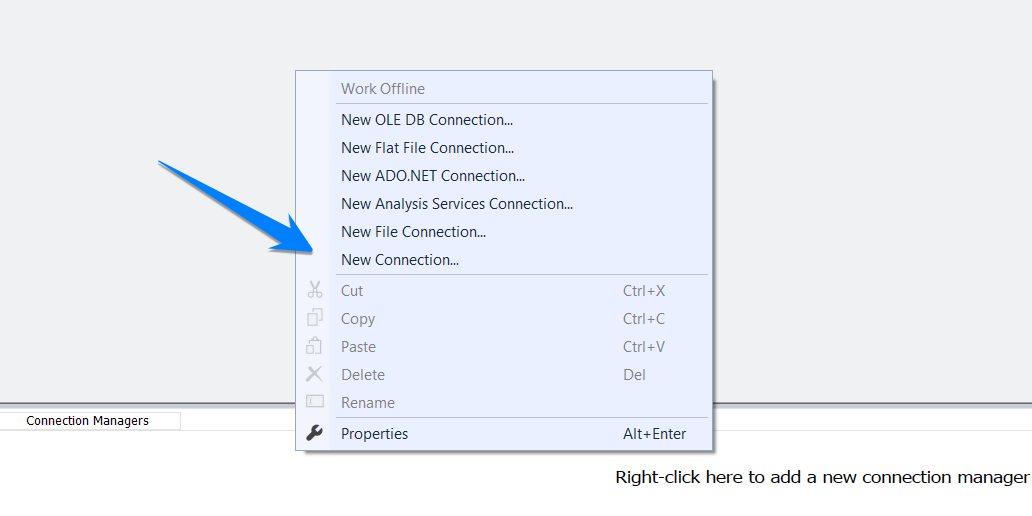
Step 1. Right click on the "Connection managers" tab and select New Connection
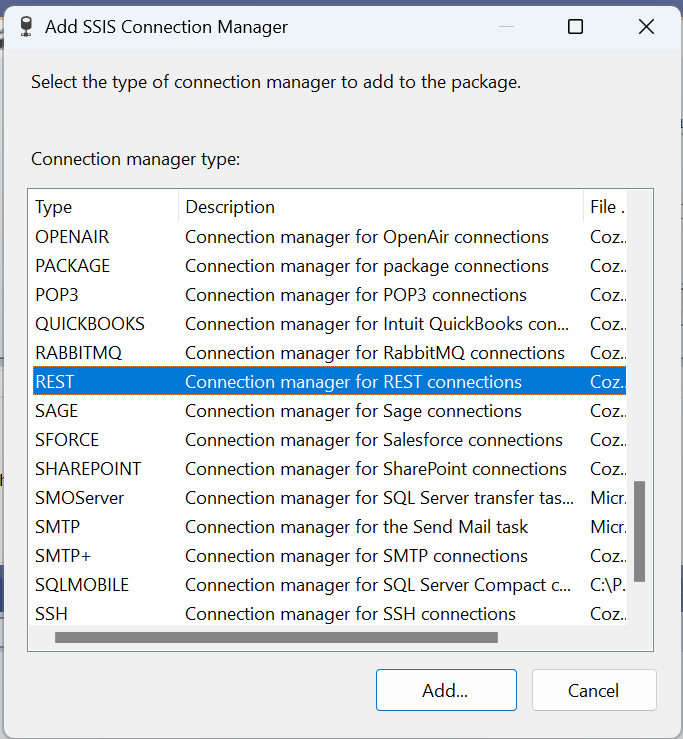
Step 2. In the "Add SSIS Connection Manager" menu scroll down, select REST and click "Add"
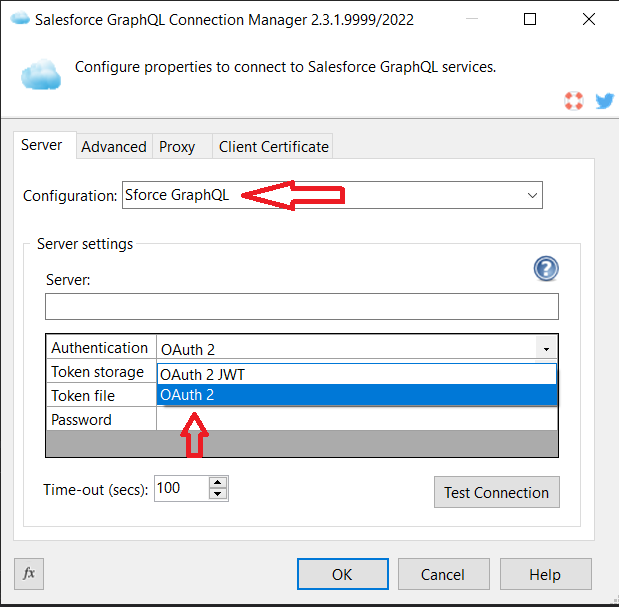
Step 3. From the configuration drop-down menu select Salesforce GraphQL. From the Authentication dropdown select OAuth 2. Replace the [DomainName] placeholder with your domain.
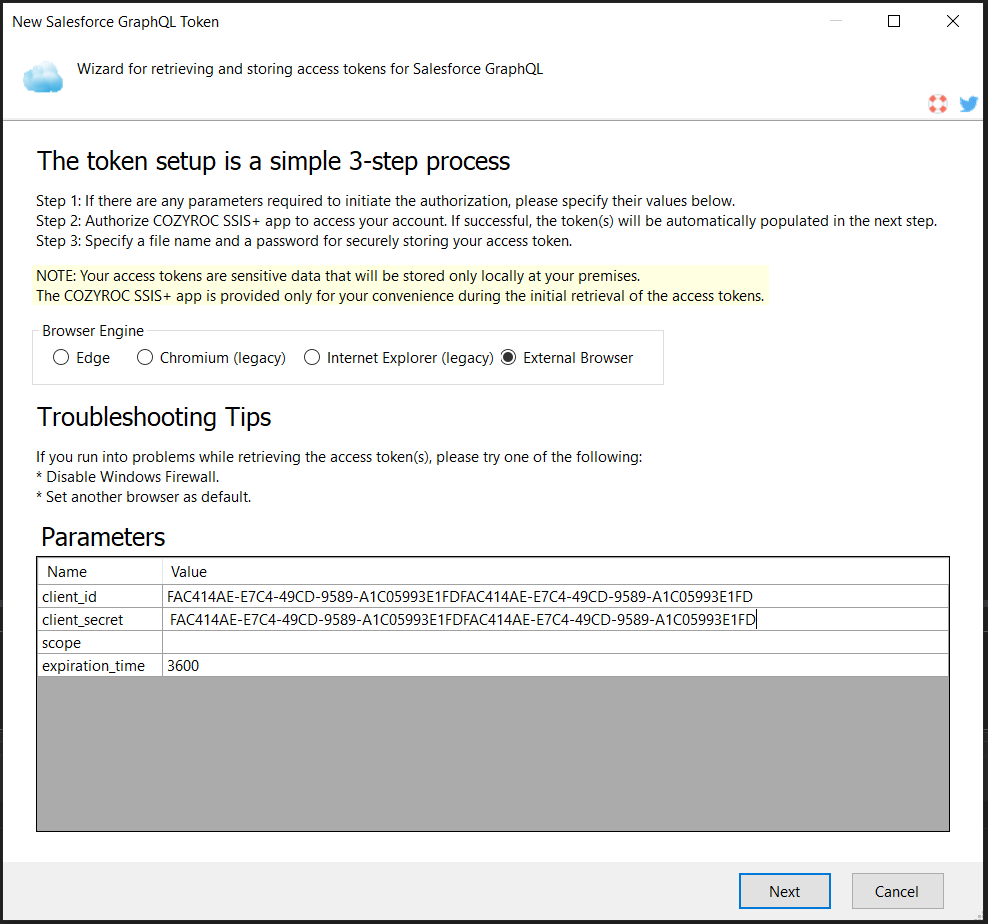
Step 4. Press the New button to begin the token generation process and input your client_id, client_secret and optionally a scope and expiration_time.
Note: If no scope is specified, all scopes available to the app are requested.
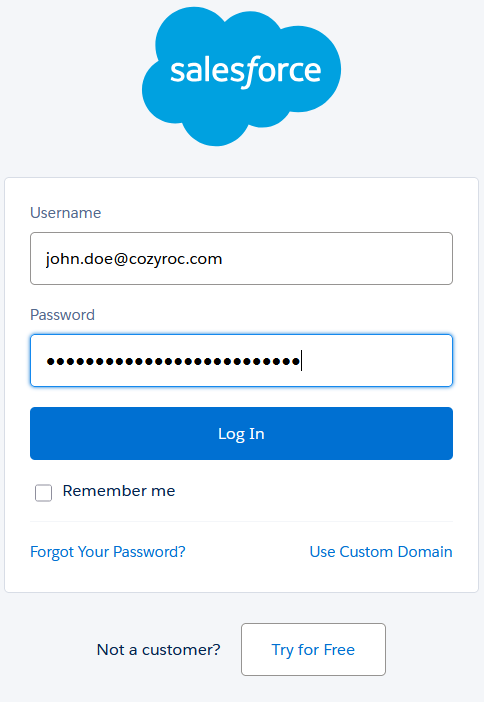
Step 5. When prompted by Salesforce for login information, input your email and password.
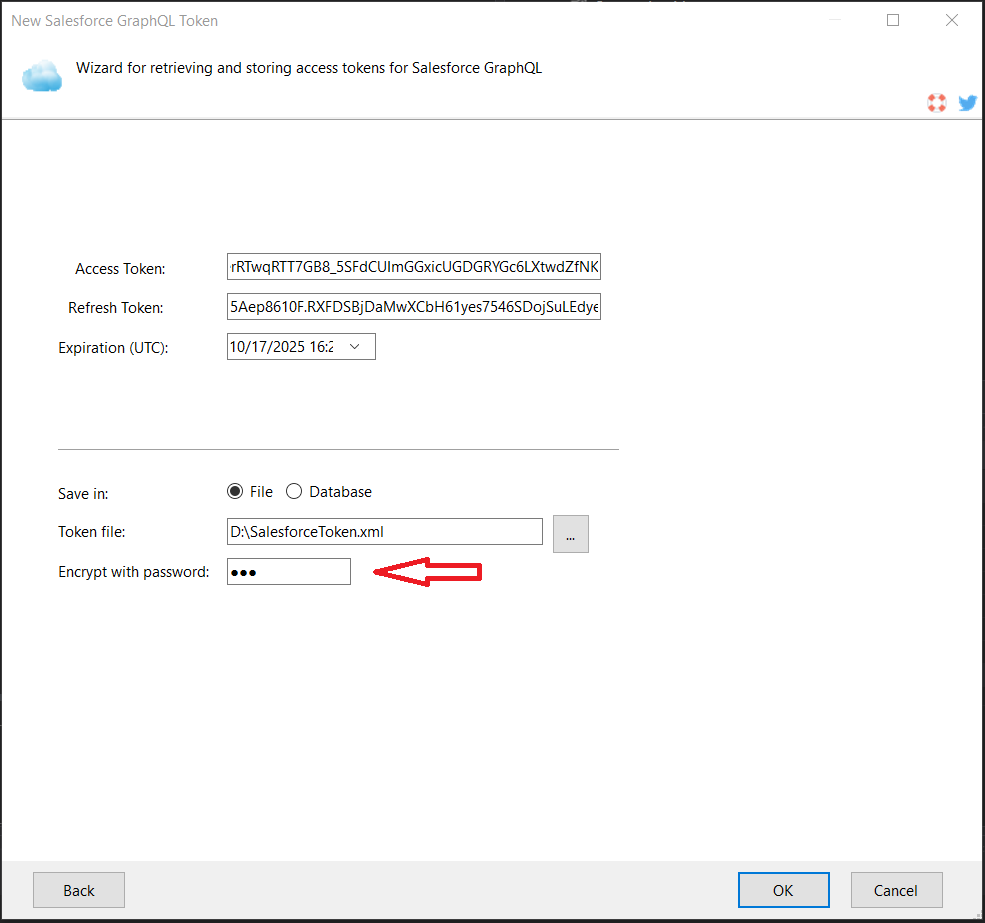
Step 6: Save generated access token to file. Specify token protection password. Click OK.
Step 7. Click "Test Connection" to test your connection.
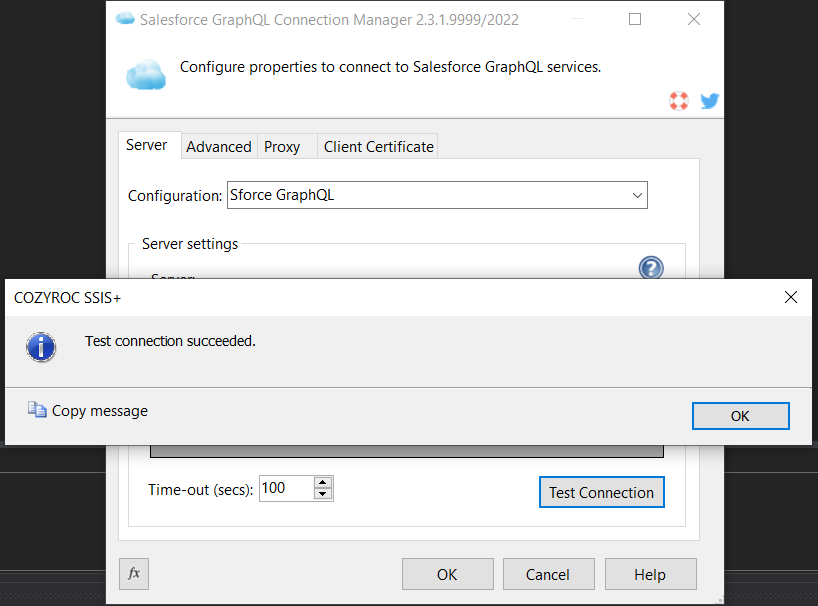
Congratulations! You have now established a connection to your Salesforce instance.
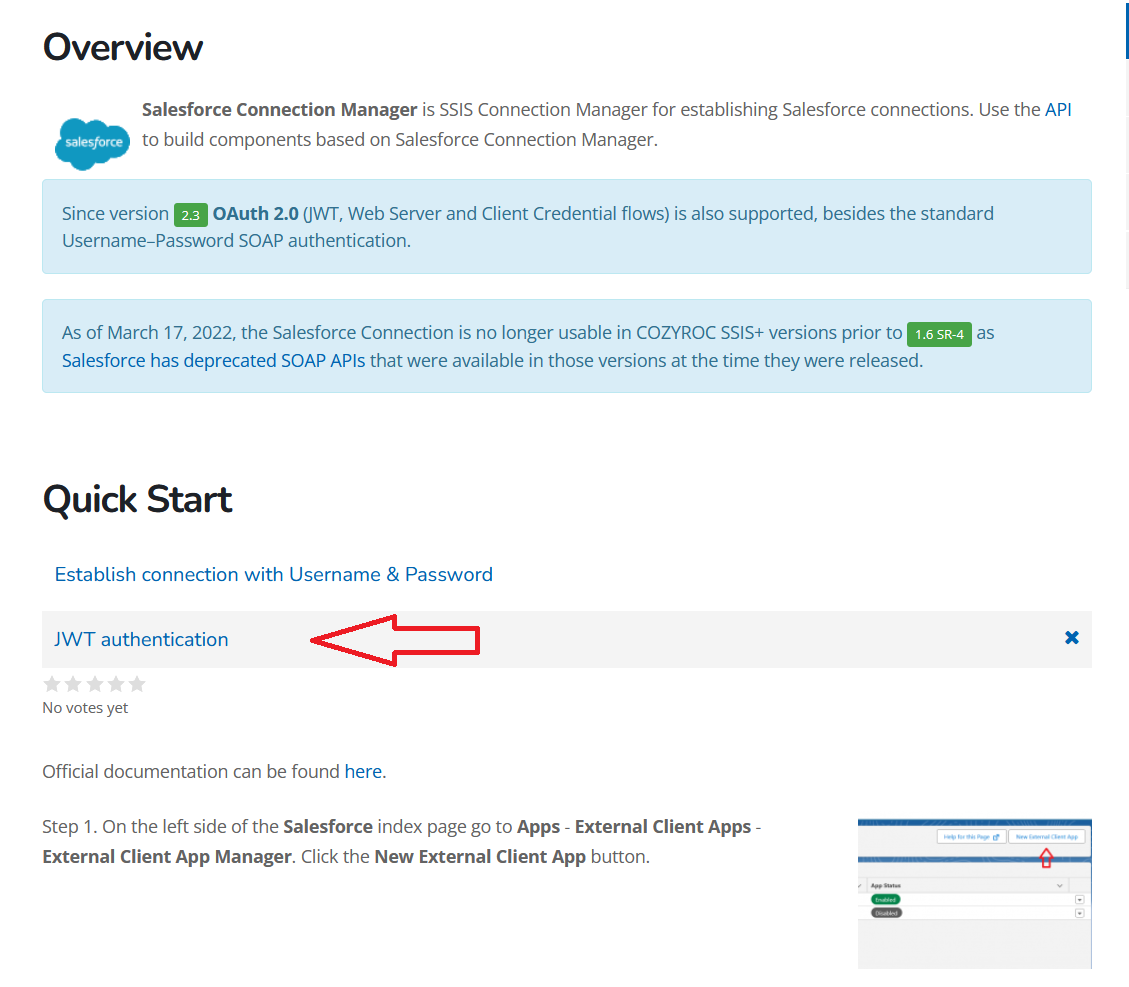
In this section, we will show you Step-by-Step how to create a connection to the Salesforce GraphQL service using COZYROC's REST Connection Manager with a JWT.
Step 1. From the configuration drop-down menu select Salesforce GraphQL. From the Authentication dropdown select OAuth 2 JWT.
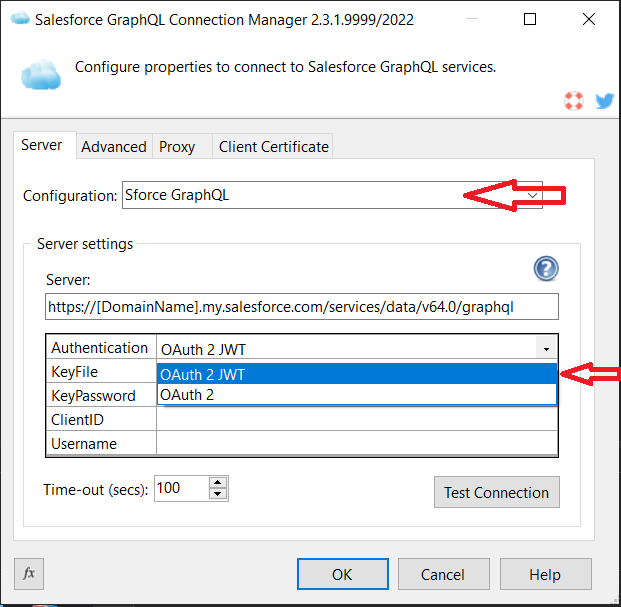
- Follow steps 1-6 from the JWT Authentication section in Cozyroc Salesforce Connection.
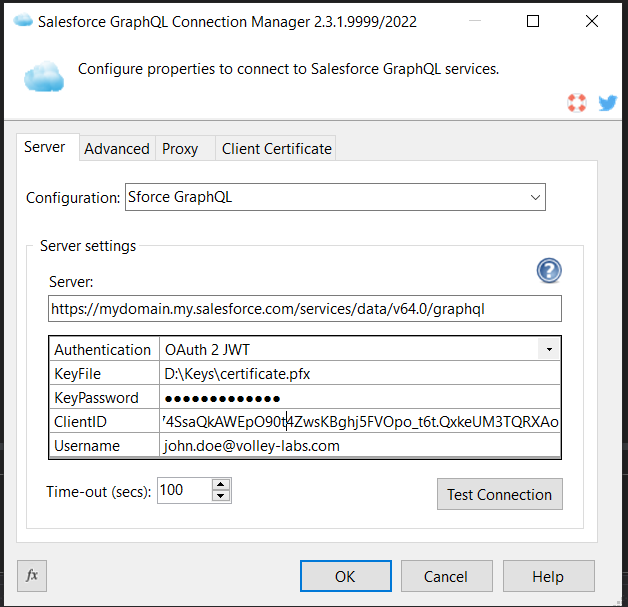
Step 3. Input the path to your Private Key, the private key Password and the Client Id acquired during the app creation. Lastly input the Username you use to login to Salesforce.
Step 4. Click "Test Connection" to test your connection.
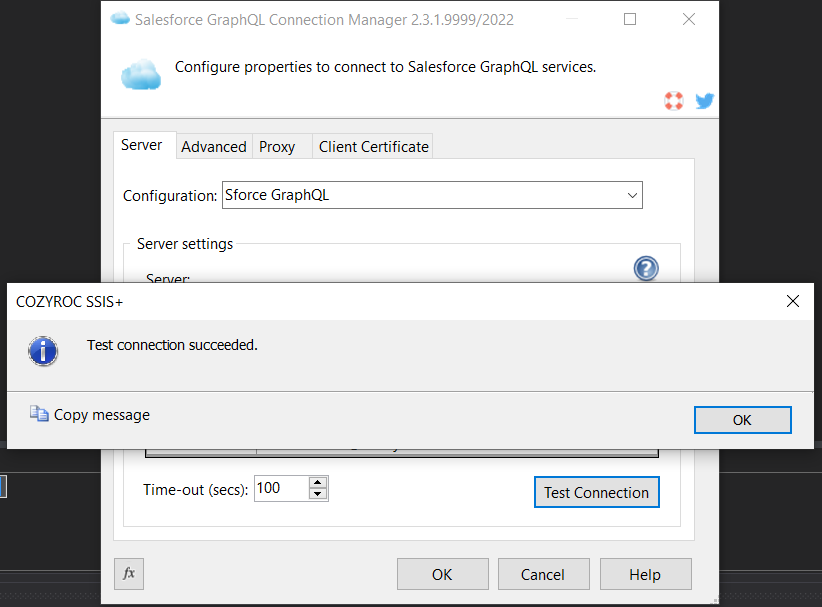
Congratulations! You have now established a connection to your Salesforce instance using a JWT.
In this section, we will show you Step-by-Step how to create a connection to the Salesforce GraphQL service using COZYROC's REST Connection Manager with the Client Credentials authentication. Official Salesforce documentation here
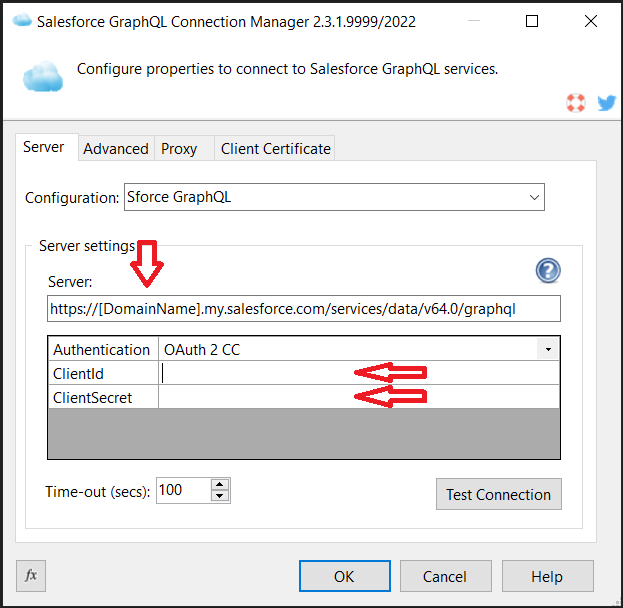
Step 1. From the configuration drop-down menu select Salesforce GraphQL. From the Authentication dropdown select OAuth 2 CC.
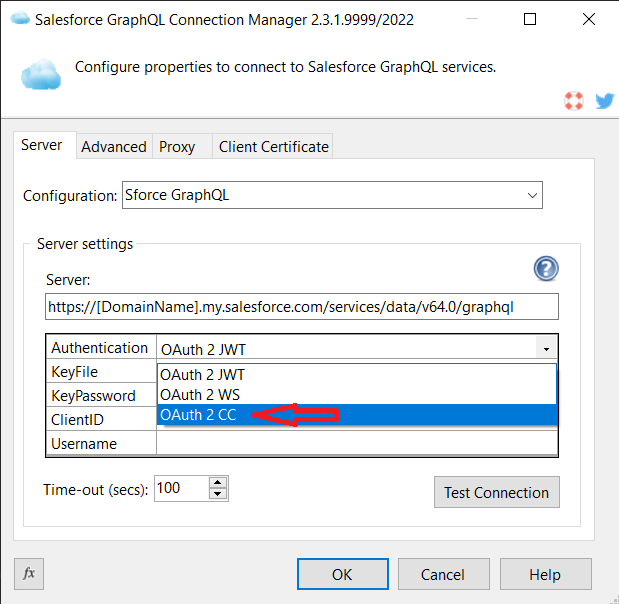
Step 2. Follow steps 1-6 from the OAuth2 Client Credentials section in Cozyroc Salesforce Connection.
Step 3. Input the ClientId and ClientSecret you got during App creation. Don't forget to replace the DomainName placeholder with your domain.
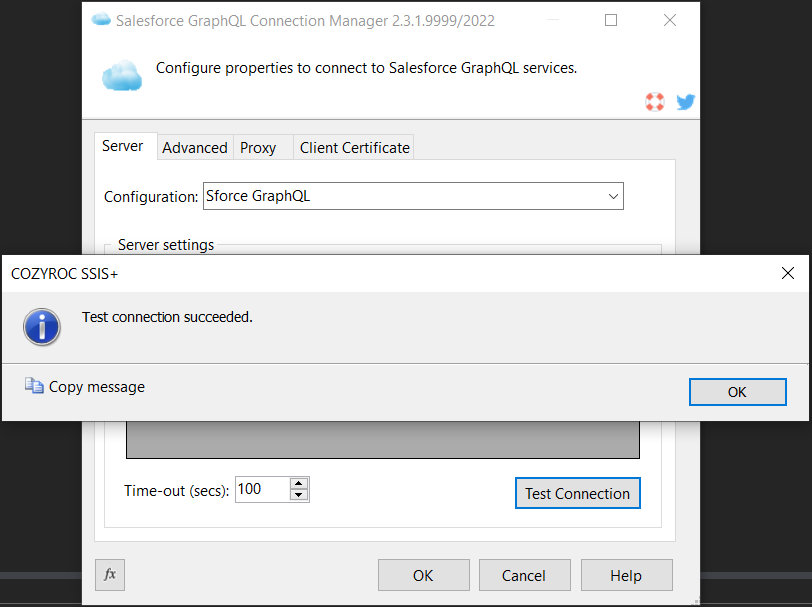
Step 4. Click "Test Connection" to test your connection.
Bravo! You have now established a connection to your Salesforce instance using the Client Credentials authentication.
In this guide, we will show how to read data from the Salesforce service resource using the COZYROC REST Source component.
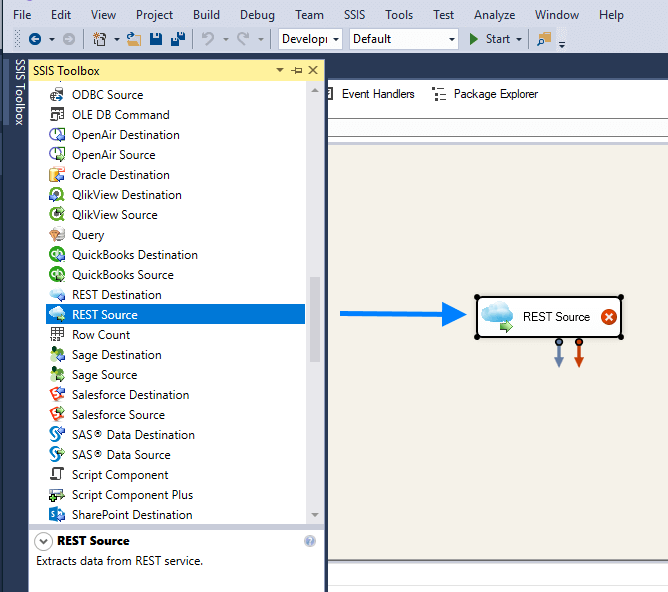
Step 1. Open the "SSIS Toolbox" and drag and drop COZYROC "REST Source" component.
Step 2. Double click on the "REST Source" component and select a Salesforce GraphQL connection from the combo. Select from the available Salesforce GraphQL resources listed in the second combo below.
Check out the two automatically generated parameters:
- query - the main body of the query
- variableDefinitions - the variable definitions of a typical query
The rest of the parameters will be evaluated in the variables JSON of the GraphQL query, feel free to add/modify/delete parameters and the query body.
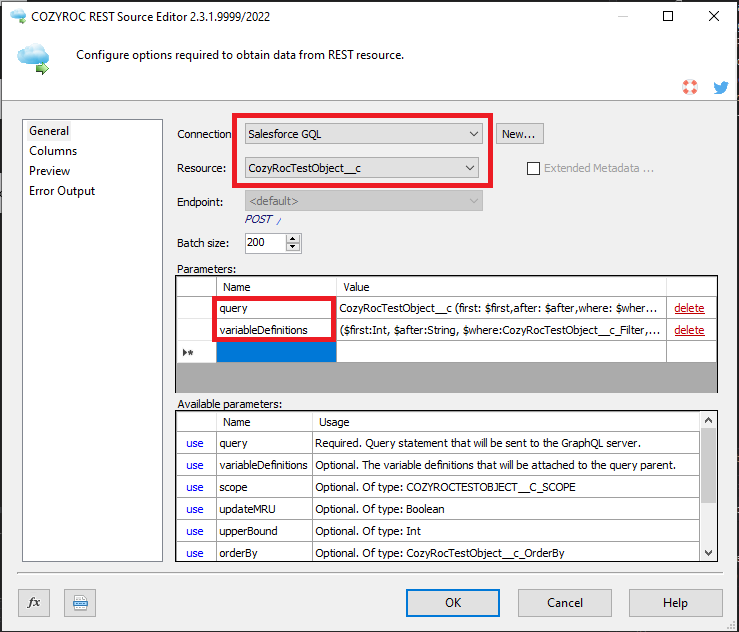
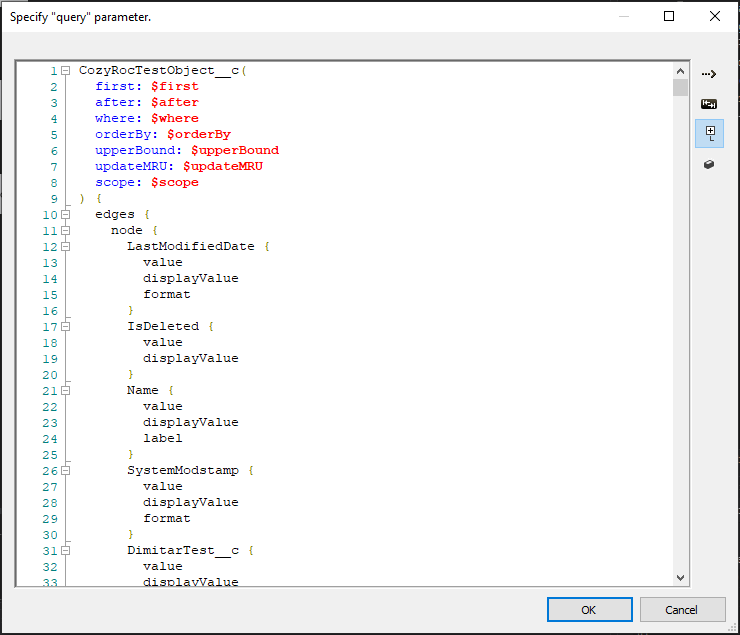
Step 3. The query parameter can be modified to suit your needs, all field manipulations done to the query will impact the columns of the component. The initially generated query serves just as a template.
Note: Do not surround the query parameter value with any elements, they will be automatically added, e.g. result:
query { uiapi { query { [valueHere] } } }
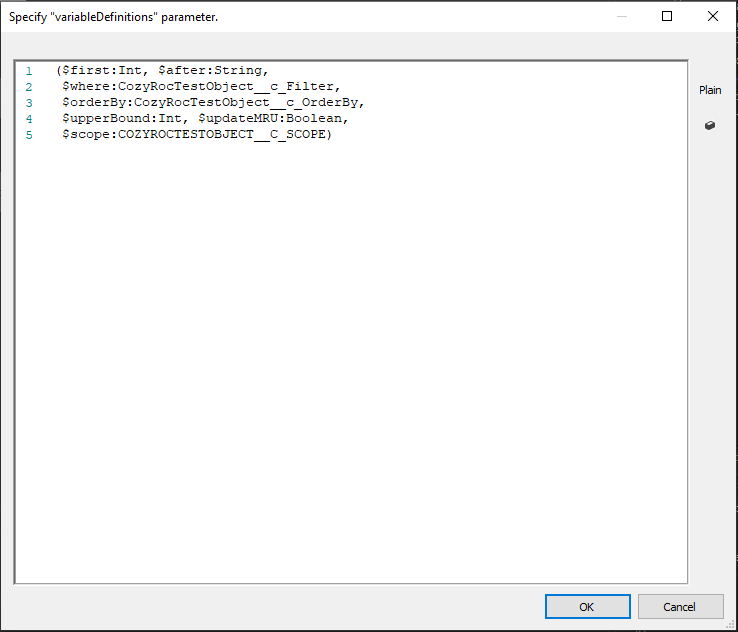
Step 4. The variableDefinitions parameter, much like the query parameter the value can be modified, and it will also be attached to the actual request body later on. E.g.
query accounts [valueOfTheVariableDefinitionsHere] { uiapi { query { Account(first: $first, after: $after) { ... } } }
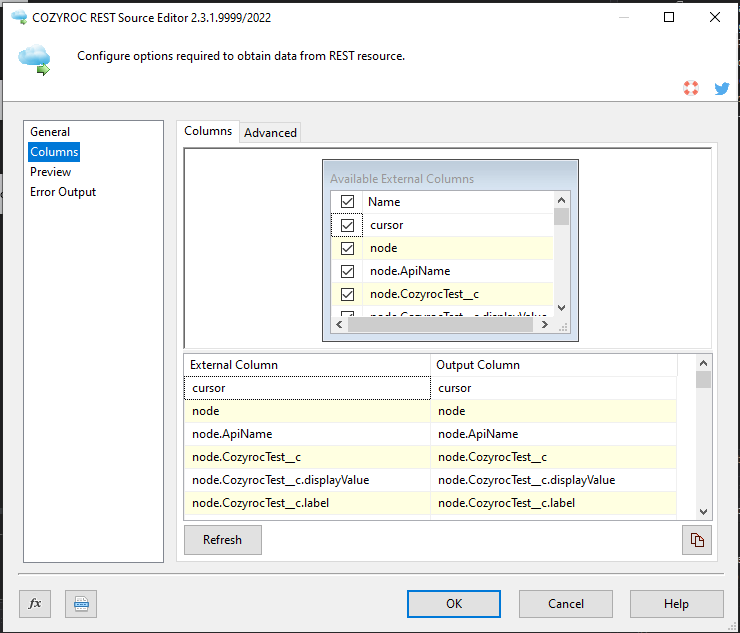
Step 5. Click on the "Columns tab" and review the columns initialized by the query parameter.
Step 6. Click Preview to make sure all necessary resource columns are included.
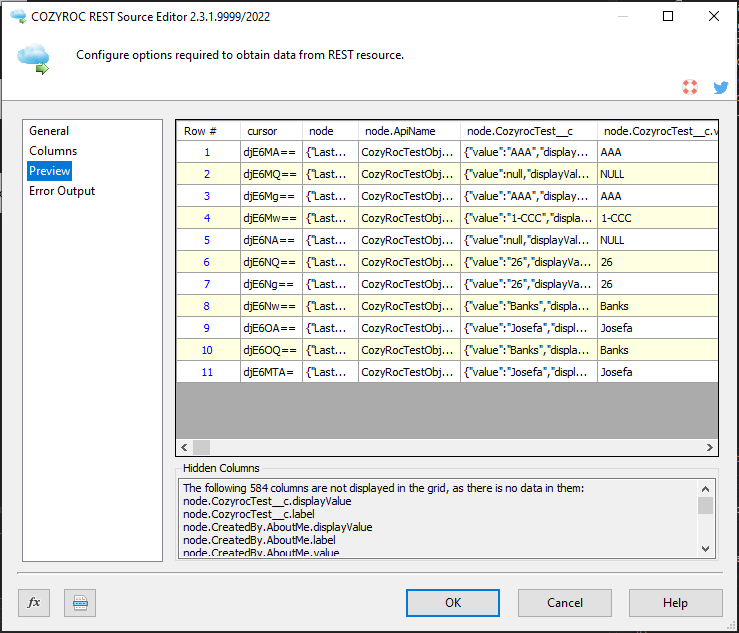
Bravo! You have now learned how to read data from Salesforce GraphQL service.
In this guide, we will show how to write data to the Salesforce GraphQL service resource using the COZYROC REST Destination component.
Step 1. Open the "SSIS Toolbox" and drag and drop COZYROC "REST Destination" component.
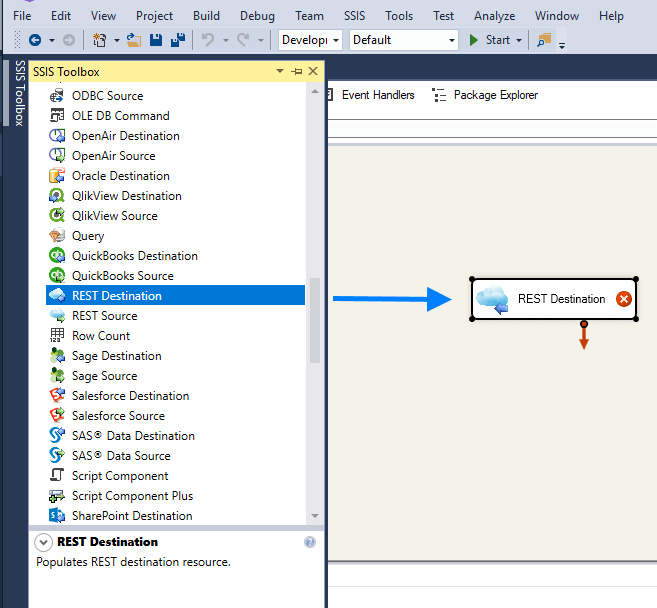
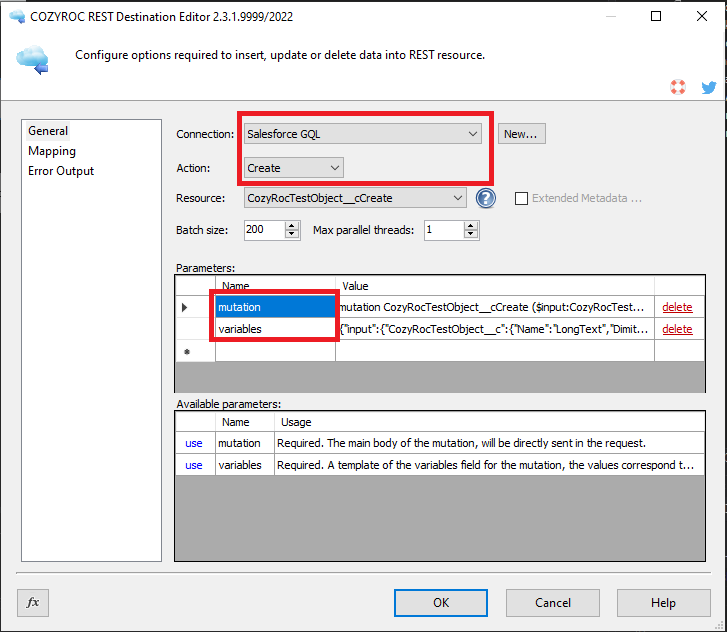
Step 2. Double click on the "REST Destination" component and select Salesforce GraphQL connection from the combo. Also, select resource action and the Salesforce GraphQL resource you want to work on.
Check out the two automatically generated parameters, feel free to modify them:
- mutation - the main body of the mutation, will be sent as is
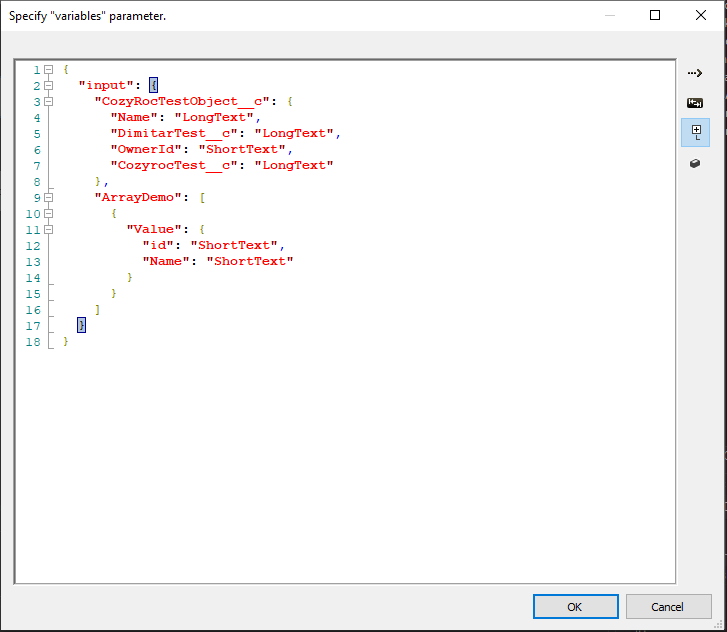
- variables - a template of the variables element that will contain the actual mutation data, the structure corresponds to the variable definitions and parameterization of the mutation above
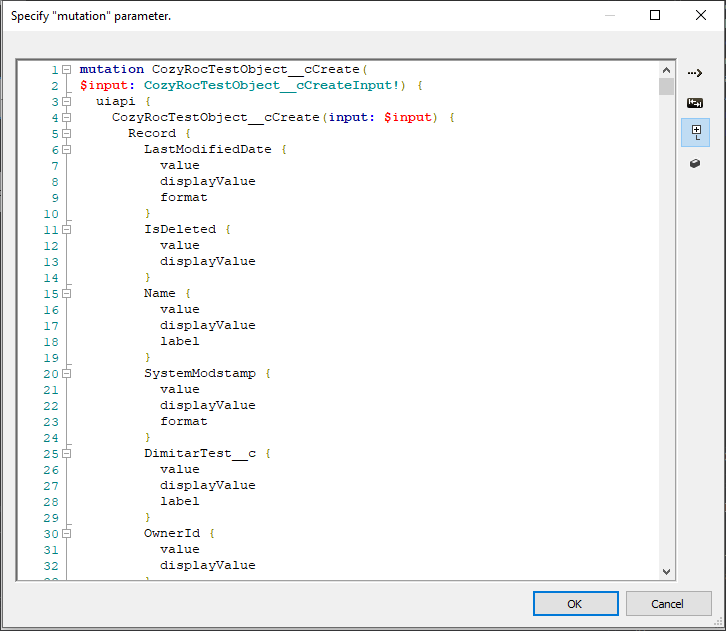
Step 3. The mutation parameter can be modified to suit your needs, it will be sent as is, but if you want to change up the structure make sure to start with the variable definitions and parameters here. The actual GraphQL body represents the return data structure, if you wish to utilize some specific columns of the REST Destination Component output, you can modify the body.
Step 4. The variables parameter, much like the mutation can be modified, it serves as a template for the column initialization and the request form will follow that template.
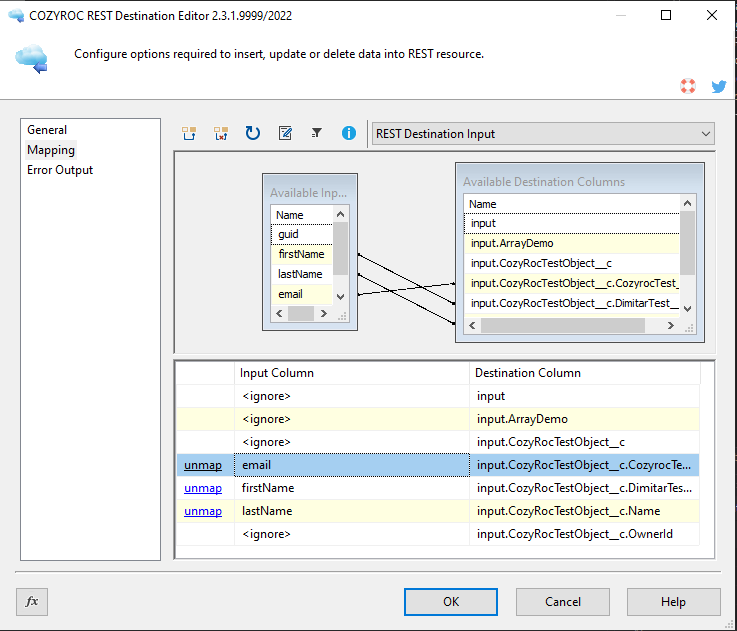
Step 5. Click on the "Mapping" tab and map the input columns for the process you are configuring. If you want to provide input for other resource composite objects, change the input above and map the columns.
Done! You have now learned how to write data into any Salesforce GraphQL resource.
Configuration
Base URL address: https://[DomainName].my.salesforce.com/services/data/v64.0/graphql.
- OAuth 2 JWT
-
The authentication uses a session token.
The authentication has the following user-defined parameters:
- KeyFile: Required. Select private key file (p12/pfx).
- KeyPassword: Required. Specify private key password.
- ClientID: Required. Specify Oauth client id, can be seen as consumer key.
- Username: Required. Used for the sub field of the JWT, the user to be impersonated.
- SchemaCachingEnabled: Specify whether to use a local caching of the GraphQL schema (use "True" for optimal performance).
The following request parameters will be automatically processed during the authentication process:
-
Authorization:
Bearer {{=token.Access}}
Documentation: https://help.salesforce.com/s/articleView?id=xcloud.remoteaccess_oauth_jwt_flow.htm.
- OAuth 2 WS
-
The authentication uses an authorized token. The token will be refreshed with the following expression:
{{=Date.now() + (token.expiration_time - 300) * 1000}}.The authentication has the following user-defined parameters:
- client_id: Required. The consumer key of the connected app. To access the consumer key, from the App Manager, find the connected app, and select View from the dropdown.
- client_secret: Required. The consumer secret of the connected app.
- scope: Permissions that define the type of protected resources a connected app can access. Optional.
- expiration_time: Required. The access token expiration in seconds, 1 hour by default.
- SchemaCachingEnabled: Specify whether to use a local caching of the GraphQL schema (use "True" for optimal performance).
The following request parameters will be automatically processed during the authentication process:
-
Authorization:
Bearer {{=token.Access}}
Documentation: https://help.salesforce.com/s/articleView?id=xcloud.remoteaccess_oauth_web_server_flow.htm.
- OAuth 2 CC
-
The authentication uses a session token.
The authentication has the following user-defined parameters:
- ClientId: Required. Specify client identifier.
- ClientSecret: Required. Specify client secret.
- SchemaCachingEnabled: Specify whether to use a local caching of the GraphQL schema (use "True" for optimal performance).
The following request parameters will be automatically processed during the authentication process:
-
Authorization:
Bearer {{=token.Access}}
Documentation: https://help.salesforce.com/s/articleView?id=xcloud.remoteaccess_oauth_client_credentials_flow.htm.
Based on resource template Base.
- [Read] action
-
The action has the following user-defined parameters:
- query: Required. Query statement that will be sent to the GraphQL server with pagination.
- variables: Format should be a valid JSON e.g. { "myVar": "myVarValue" }. Optional.
- variableDefinitions: Format should be a valid GraphQL variable definition e.g. ($first:Int, $after:String). Optional.
- [External]
-
The external fields list is extracted from:
{{=GraphQL2.getCustomFields(parameters)}}.
- [Create] action
-
The action has the following user-defined parameters:
- mutation: Required. Mutation statement that will be sent to the GraphQL server.
- variables: Required. Format should be a valid JSON e.g. { "myVar": "myVarValue" }.
- [External]
-
The external fields list is extracted from:
{{=GraphQL2.getCustomFields(parameters)}}.
- [Read] action
-
The action has the following user-defined parameters:
- [Create] action
-
The action has the following user-defined parameters:
- [Update] action
-
The action has the following user-defined parameters:
- [Upsert] action
-
The action has the following user-defined parameters:
- [Delete] action
-
The action has the following user-defined parameters:
- [External]
-
The external fields list is extracted from:
{{=GraphQL2.getCustomFields(parameters)}}.
The external resource list is extracted from: {{=GraphQL2.getEntrypointMetadataCombined()}}.
Based on resource template Base.
- [Read] action
-
Endpoint URL address:
/.
The result is extracted from:{{=SalesforceGQL.extractResponseNodes(response) }}.
The action uses POST method.
The result is paginated.The following request parameters will be automatically processed:
-
application/json:
{{=GraphQL2.createCustomQuery(resource, parameters)}}
-
application/json:
- [Create] action
-
Endpoint URL address:
/.
The action uses POST method.The following request parameters will be automatically processed:
-
application/json:
{{=GraphQL2.createCustomMutation(parameters, item) }}
-
application/json:
- [Update] action
-
Endpoint URL address:
/.
The action uses POST method.The following request parameters will be automatically processed:
-
application/json:
{{=GraphQL2.createCustomMutation(parameters, item) }}
-
application/json:
- [Upsert] action
-
Endpoint URL address:
/.
The action uses POST method.The following request parameters will be automatically processed:
-
application/json:
{{=GraphQL2.createCustomMutation(parameters, item) }}
-
application/json:
- [Delete] action
-
Endpoint URL address:
/.
The action uses POST method.The following request parameters will be automatically processed:
-
application/json:
{{=GraphQL2.createCustomMutation(parameters, item) }}
-
application/json:
- ShortText
Data type: DT_WSTR ( length 256 )
- LongText
Data type: DT_WSTR ( length 1024 )
- LargeText
Data type: DT_NTEXT
- Int
Data type: DT_I4
- Float
Data type: DT_I8
- Bool
Data type: DT_BOOL
- DateTime
Data type: DT_DBTIMESTAMP
- Date
Data type: DT_DBDATE
Knowledge Base
What's New
- New: Introduced connection.
Related documentation


COZYROC SSIS+ Components Suite is free for testing in your development environment.
A licensed version can be deployed on-premises, on Azure-SSIS IR and on COZYROC Cloud.